The Seller Wikipedia

Beginner seller guide

How to sell on Amazon

Selling on Amazon means using Seller Central to register the account, list products, manage prices, choose fulfillment, handle orders, and protect account health while Amazon reviews the seller and the catalog.

The first goal is not just getting a product online. The first goal is building a seller setup that can survive verification, product checks, customer promises, and performance monitoring.

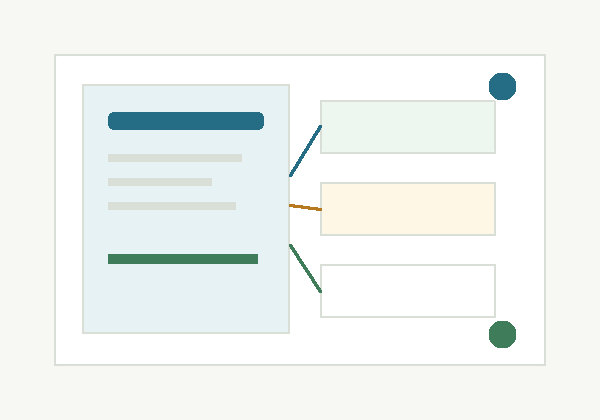
Editorial illustration of an Amazon seller setup desk

What seller means

Seller Central is the operating desk

register and verify the seller account
create, match, price, and update product offers
choose FBA or seller-fulfilled shipping
manage inventory, orders, returns, and buyer messages
monitor Account Health and performance notifications
respond to document, listing, or compliance requests

Six-step path

How the seller journey usually works

Step 1

Choose what and where to sell

Start with a real product plan, not only an account. Check demand, supplier reliability, category restrictions, marketplace fit, and whether the product needs approvals, compliance documents, or brand authorization.

Step 2

Register with accurate seller details

Choose Individual or Professional based on volume and tools needed. Use consistent identity, business, bank, tax, address, and contact details because verification problems often begin with mismatched information.

Step 3

Create or match product listings

Use Seller Central to add products. Match an existing detail page when the exact product already exists, or create a new listing with the correct GTIN, category, brand, images, product facts, and offer details.

Step 4

Price from margin, not hope

Calculate referral fees, fulfillment costs, storage, returns, shipping, advertising, refunds, and tax or compliance overhead before launch. A product can sell well and still lose money.

Step 5

Choose a fulfillment method

Use FBA when Amazon should store, pick, pack, ship, and handle customer service for eligible inventory. Use seller-fulfilled when you can reliably ship orders yourself or through your own logistics setup.

Step 6

Launch and monitor account health

Promote carefully, use compliant review tools, answer buyer issues, keep inventory accurate, and watch Account Health, performance notifications, shipping metrics, and document requests.

Fulfillment choice

FBA and seller-fulfilled are different operating models

Fulfillment by Amazon (FBA)

You send eligible inventory to Amazon fulfillment centers. Amazon stores units, picks and packs orders, ships to customers, and handles customer service and returns for those orders.

Best fit

Sellers who want Prime-style fulfillment, scalable operations, and less day-to-day shipping work.

Watch closely

Storage fees, inbound placement, preparation rules, inventory age, stranded inventory, and whether the product is eligible for FBA.

Fulfilled by Merchant

You keep inventory under your control and ship customer orders yourself, through your warehouse, or through a third-party logistics partner.

Best fit

Sellers with strong shipping control, oversized or special-handling products, or products where FBA fees do not make sense.

Watch closely

Late shipment rate, valid tracking, cancellation rate, return handling, buyer messages, and delivery promises.

Before launch

Seller readiness checklist

The product is allowed in the marketplace and category.
Supplier and brand authorization evidence is clean and available.
Listing data matches the actual product and packaging.
The price still works after fees, fulfillment, returns, and ads.
Inventory quantity, prep, labels, and shipping promises are realistic.
The seller account details match identity, bank, business, and tax records.

Mistakes to avoid

Problems that make new accounts fragile

Sourcing products without invoices, supplier records, authorization, or a clear product trail.
Creating listings with inaccurate titles, images, compatibility claims, brand names, variations, or condition notes.
Ignoring restricted categories, safety rules, compliance documents, or marketplace-specific requirements.
Choosing seller-fulfilled shipping without the systems to meet delivery, tracking, cancellation, and customer-service metrics.
Trying to influence reviews with incentives, off-platform pressure, inserts, refunds tied to reviews, or review swaps.
Uploading documents that do not match Seller Central data, bank details, business records, invoices, or product information.

After launch

Move from setup into account-health discipline

Official references

Check Amazon source pages before making account decisions

FAQ

Beginner seller questions

Do I need the Professional selling plan to start?

Not always. Individual can make sense for low-volume or test selling, while Professional is usually better when you need advanced tools, advertising access, bulk listing options, or higher monthly volume. Check current Amazon plan fees before choosing.

Is FBA required to sell on Amazon?

No. Many sellers use FBA, many fulfill orders themselves, and some use both. The right choice depends on eligibility, product size, margin, storage risk, delivery capability, and customer-service workload.

Can I sell any product I find from a supplier?

No. Some products, brands, and categories require approval, compliance documents, authorization, or special handling. Check restrictions before buying inventory.

What makes a strong Amazon product listing?

A strong listing is accurate, specific, compliant, and useful to the customer. It should use the correct product identity, images, category, brand, variations, condition, price, and fulfillment details.

What should I check before the first sale?

Confirm product eligibility, listing accuracy, inventory quantity, fulfillment settings, price and fees, tax and bank details, return handling, buyer-message readiness, and Account Health notifications.

Public contribution box

Ask a beginner seller setup question

Use this form for questions about seller setup, product listing readiness, fulfillment choices, or early account-health risks. Please remove sensitive personal information before submitting.

Email reply optional
Your details
Seller context

Please remove sensitive personal information before submitting. Use this as an educational note, not a live case file.